


Invoice ASAP: Field Service
4.0339.00 Reviews
App Specs
- Version
- 4.22.1
- Updated On
- License
- Free
- Downloads
- 100,000+
- Developer
- InvoiceASAP
- Categories
- Business
- Platform
- Android
Screenshots

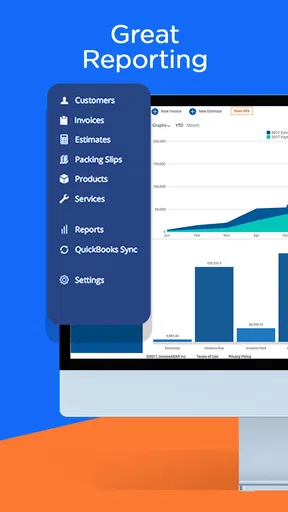
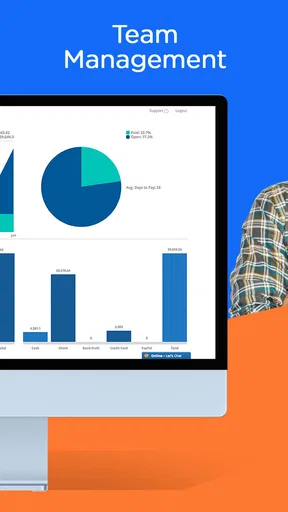
 Analysis by AppCompare
When I’m away from a desk, the most useful business app is one that helps me finish a small task before it turns into a pile of evening paperwork. Invoice ASAP: Field Service is built around that practical need: keeping estimates, invoices and work orders close at hand for people who do jobs at customers’ locations. I’d approach it as a mobile billing tool first, not as a complete replacement for every part of running a business.
What a first-time user should expect
InvoiceASAP develops this free business app, which has been available since March 10, 2014. It has a 4.0 average from 936 ratings, with 336 written reviews and over 100,000 installs. The current version is 4.21.1, and it requires Android 8.0 or later. Its Everyone age rating makes it suitable for a general audience, while optional in-app purchases range from $1.00 to $14.99 per item.
The main appeal is being able to handle customer-facing paperwork while you’re still on site. Instead of waiting until you get home to turn a completed job into an invoice, you can work on that next step while the details are fresh. The app is aimed at field service professionals, so a plumber, electrician, landscaper or independent contractor is a more natural fit than someone looking for a broad project-management or inventory platform.
Getting ready before the first job
I’d begin by setting up the business details that should appear on customer documents, then take a moment to decide how you want to describe the work you commonly do. A little preparation can make a rushed visit easier: clear item names and consistent wording help you produce a document that a customer can understand without a long explanation. If you use the app with a team, agree on those basics before everyone starts creating records in their own style.
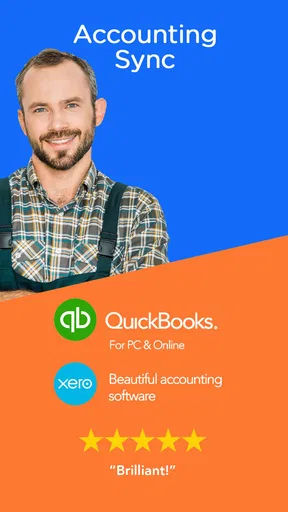
Before relying on it in the middle of a busy day, I’d also check how your usual accounting and payment arrangements fit into the workflow. The app is described as working with QuickBooks and Xero, and it offers payment connections such as PayPal or other gateways. Those are useful routes, but a business should make sure its own accounts and preferred process are compatible rather than assuming that installing the app automatically completes every setup step.
Your first useful result: close out a visit
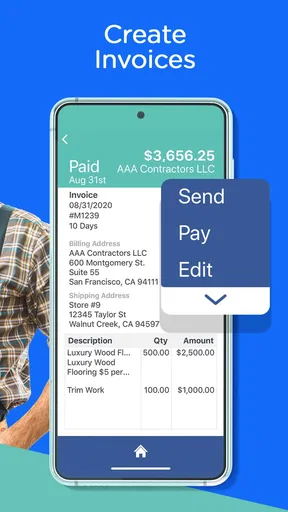
A reassuring first test is to prepare a real-looking invoice for a straightforward job, review the wording and totals, and make sure the result is clear before sending it to a customer. You can add photos and notes, which can help explain what was completed or record a detail that might otherwise be forgotten. For instance, after repairing a leaking pipe, a short note about the work and a relevant photo can give the customer useful context alongside the charge.
That small workflow is more valuable than trying to configure everything at once. Create or review the document, check that the customer-facing details are right, and only then use the payment option that suits your business. My practical tip is to keep notes factual and brief: they should clarify the job, not become a second report that takes longer to write than the invoice itself.
Worth Reading Before You Choose

EA SPORTS FC Mobile 26 Is a Bigger Football Game, but It Takes Time

Flipboard Shows What News Apps Must Do Beyond the Feed

Switching to Android Auto Means Rethinking Your Driving Routine

Google Calendar Makes a Crowded Week Easier to Manage

Ludo King Makes the Most of the Minutes Between Plans

Baby Panda World Brings Quick Play to Modern Phones, but Its Game Library Feels Busy
Where the workflow can feel less simple
There is a difference between making an invoice on a phone and managing every part of a company’s finances there. Invoice ASAP is focused on field paperwork and billing; it isn’t the option I’d choose on its own for complex accounting, detailed job scheduling, stock control or extensive reporting. If those are the main problems you need to solve, a dedicated accounting or field-service system may be a better starting point, with this app considered only if its mobile invoicing fills a specific gap.
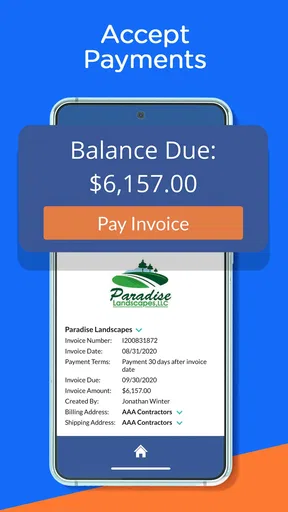
Payment setup is another point to handle deliberately. The ability to connect a gateway can make it easier for a customer to pay, but it still depends on your account and on the payment method you want to offer. I wouldn’t promise a customer that a particular route is ready until I had tested the setup myself. Likewise, syncing with accounting software can reduce duplicate entry, but I’d still review the resulting records so that a convenient transfer doesn’t become an unchecked bookkeeping error.
Who is likely to get the most from it?
I see the strongest fit for a solo tradesperson or a small service business that visits customers, issues estimates and invoices, and wants to reduce the gap between finishing work and billing for it. Imagine wrapping up a landscaping visit before moving on to the next address: you can capture a note while the job is fresh, prepare the paperwork and give the customer a clearer account of the work. That is a useful everyday gain, especially when several small jobs would otherwise blur together by the end of the day.
A larger operation may value the possibility of multiple users and accounts, but I’d be cautious about assuming that this alone makes the app a complete system for coordinating a workforce. The team still needs an agreed process for who creates documents, how customer details are kept consistent and how records are checked. For a business with complex approvals or tightly managed dispatch, a more specialized platform may be worth comparing before committing to a mobile-first invoicing routine.
Get to Know Invoice ASAP
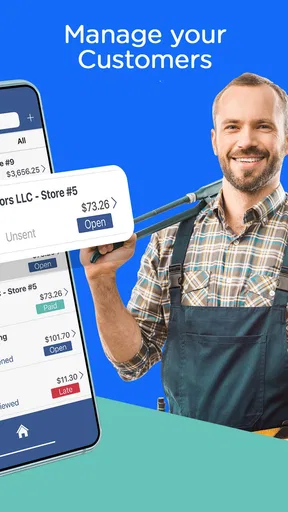
So, what's the deal with Invoice ASAP: Field Service? It's all about making invoicing and billing as painless as possible, especially for those of us who aren't chained to a desk. This app is designed for field service professionals who need to create estimates, invoices, and work orders on the fly. Pretty handy, right?
The app is available on both Android and iOS, and it’s been around long enough to build a solid reputation. It's all about speed and simplicity, which is exactly what you need when juggling multiple clients and projects.
Features That Stand Out
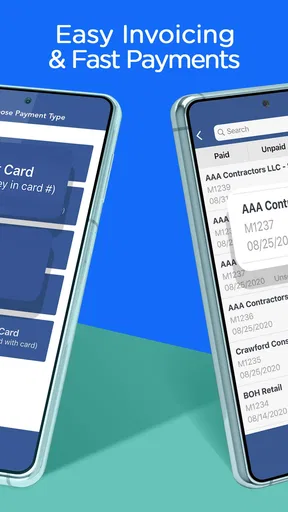
Let’s dive into some features that make this app a serious contender in the invoicing world. First off, creating an invoice is a breeze. You can whip up an invoice in seconds, complete with your company’s logo and payment terms. The app lets you add photos and notes to your invoices, so you can provide your clients with all the details they need.
One feature I found particularly useful is the option to accept payments directly through the app. You can link your account to PayPal or other payment gateways, allowing your clients to pay with just a tap. Talk about convenience!
“Invoice ASAP has transformed the way I handle billing. It’s like having a portable office in my pocket.”
Another cool feature is the app’s integration capabilities. It syncs with QuickBooks and Xero, so you can keep your accounting streamlined without any manual data entry. Plus, the cloud storage means all your data is backed up and accessible from anywhere.
Usability and Design
When it comes to usability, Invoice ASAP nails it. The interface is clean and intuitive, even for those who aren’t tech-savvy. Everything is laid out logically, and you don’t need to dig through menus to find what you’re looking for.
The design is functional rather than flashy, which I appreciate. It’s all about getting the job done without unnecessary distractions. The app performs smoothly, and I didn’t encounter any major hiccups during my time using it.
Who Will Benefit Most?
This app is a godsend for anyone in the field service industry. Whether you’re an electrician, plumber, landscaper, or contractor, Invoice ASAP: Field Service can save you hours of admin work. It’s perfect for small businesses or freelancers who need a reliable way to manage invoices on the move.
Even if you’re a larger operation, the scalability of the app means you can handle multiple users and accounts with ease. It’s all about making invoicing as seamless as possible, regardless of your business size.
Final Thoughts
In a nutshell, Invoice ASAP: Field Service delivers on its promise to simplify invoicing. It’s efficient, user-friendly, and packed with features that make life easier for field service professionals. While it might not have all the bells and whistles of some desktop solutions, it excels in portability and ease of use.
If you’re ready to ditch the paperwork and embrace a more streamlined approach to billing, give Invoice ASAP: Field Service a shot. It’s like having a virtual assistant dedicated to keeping your invoicing woes at bay. You can download it today and see how much smoother your invoicing process can be.
Choosing it over familiar alternatives
Compared with writing invoices in a word processor or keeping a spreadsheet, a mobile invoicing app can put the customer document closer to the job itself. That matters when you need to record what happened before driving away, rather than reconstructing the visit from memory later. The trade-off is that a spreadsheet can be more flexible for unusual internal calculations, while a desktop accounting package may offer a broader view of the books. I’d use this app when the immediate bottleneck is preparing and sharing field paperwork, not simply because every business task should move onto a phone.
It also sits between a basic invoice maker and a full field-service suite. Estimates, work orders, invoices, photos, notes and payment options point toward a practical visit-to-billing workflow. If dispatching staff, tracking inventory or analyzing business performance is your priority, compare those needs separately instead of treating invoicing features as proof that the whole operation is covered. That distinction is worth making before a team builds its daily routine around any one app.
Small habits that make records more useful
One non-obvious benefit of adding a photo or note is the future reference it gives you, not just the explanation it gives a customer today. A concise note can help you remember why a quoted task changed or what condition you found on arrival. I’d keep a consistent pattern—for example, a brief description of the work followed by any customer-relevant observation—so later records are easier to scan. Avoid including unnecessary personal details in a note that is meant to document a job.
For repeat work, consistent descriptions can also make invoices easier for customers to compare. Rather than inventing a new label for the same service on every visit, settle on wording that accurately describes the task. This is a simple process choice, not a special app feature, but it makes the documents produced by the app more coherent and can reduce questions about what a line item means.
Another useful trade-off is deciding when to finish paperwork. Completing an invoice immediately can prevent forgotten details, but doing it while a customer is asking questions may invite mistakes. I’d capture the essential note at the site, then take a quiet moment to review the document before sending it. The app’s mobility helps bring the task forward; it doesn’t remove the value of a final check.
Questions worth settling before depending on it
If you’re wondering whether you can begin without paying, the app is free to install, with optional in-app purchases available. I’d still review the choices shown in the app before building a workflow around a paid option. That way, you can judge whether the functions you actually need fit your budget instead of assuming every capability comes at no cost.
If you’re unsure whether it suits a one-person business, that’s where its field-focused approach is easiest to evaluate: try preparing the paperwork for a typical visit and see whether it saves steps compared with your current method. A freelancer with a handful of straightforward jobs may appreciate having estimates and invoices together. Someone who mainly needs tax preparation, payroll or extensive financial reports should look to accounting software for those jobs instead.
For a team, I’d test the handoff as well as the invoice itself. Decide who enters job notes, who checks customer-facing documents and how the accounting connection fits into the end-of-day routine. Multiple users and accounts can be useful, but they don’t automatically settle permissions, approval habits or record-keeping standards. A short internal procedure can prevent inconsistent paperwork more effectively than asking each person to improvise.
My recommendation after the first trial
My advice is to start with one ordinary job rather than migrating every customer record at once. Prepare a document, check the details, try the payment route you intend to offer and confirm how the accounting handoff looks for your business. That small trial answers the questions that matter most: whether the workflow feels quick on your device, whether customers understand the paperwork and whether the records land where you expect.
If that test goes smoothly, make the app part of a specific routine, such as closing out each visit before moving to the next appointment. If it feels awkward, or your needs extend well beyond field billing, there’s no reason to force it into the center of your business. I’d recommend it to mobile service providers who want a more direct path from completed work to customer paperwork, while keeping a fuller accounting or operations tool for the tasks this app is not meant to replace.
Pros
- User-friendly interface simplifies invoicing.
- Syncs seamlessly with QuickBooks.
- Customizable invoice templates.
- Supports multiple currencies.
- Excellent customer support.
Cons
- Limited offline functionality.
- Subscription required for premium features.
- Occasional syncing delays.
- Complex initial setup for some features.
- Limited integration with non-accounting apps.
FAQs for Invoice ASAP: Field Service
What is Invoice ASAP: Field Service and who is it for?
Invoice ASAP: Field Service is a mobile app designed for businesses and freelancers who need to create invoices and manage billing tasks on the go. It’s particularly useful for field service professionals like plumbers, electricians, and contractors who require a quick and efficient way to handle invoicing directly from their mobile devices.
Can I sync Invoice ASAP with other accounting software?
Yes, Invoice ASAP offers seamless integration with popular accounting software like QuickBooks and Xero. This feature allows users to keep their financial data synchronized across platforms, ensuring that all billing and invoicing information is consistent and up-to-date, which simplifies financial management.
Does Invoice ASAP support multiple currencies and tax rates?
Certainly! Invoice ASAP supports multiple currencies and tax rates, accommodating businesses that operate in different regions. This flexibility allows users to cater to international clients and comply with local tax regulations, making it easier to handle diverse billing scenarios efficiently.
How secure is my data on Invoice ASAP?
Invoice ASAP prioritizes user data security by employing encryption and secure cloud storage solutions. Your financial information and client data are protected against unauthorized access, ensuring that sensitive information remains confidential and secure at all times.
Is there customer support available for Invoice ASAP?
Yes, Invoice ASAP provides customer support to assist users with any issues or questions. The support team is available via email and phone, offering guidance on everything from setup to advanced features, ensuring users can maximize the app’s potential without any hassle.


